How to add and remove/delete Users in the MessageBee platform.
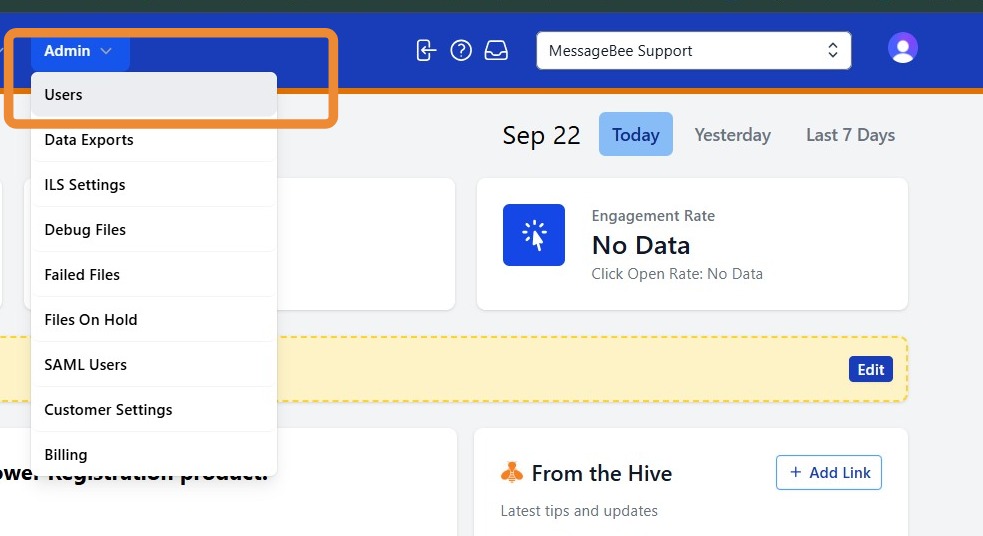
1. To manage users, navigate to the Admin tab and select Users.
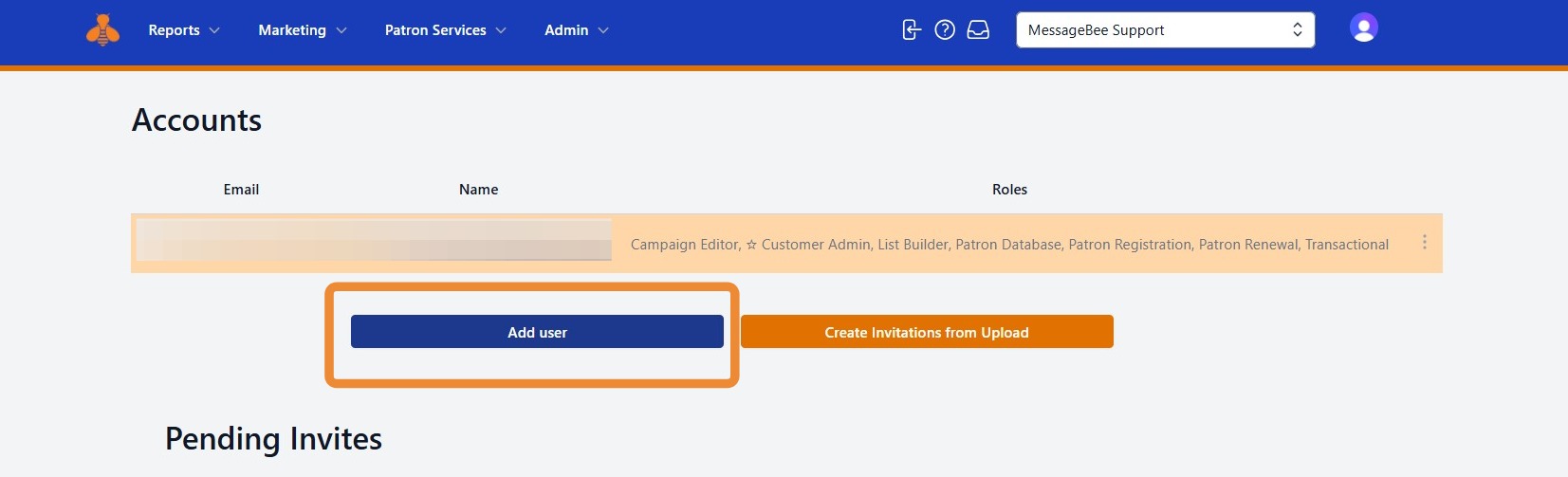
2. To add a user, select Add User.
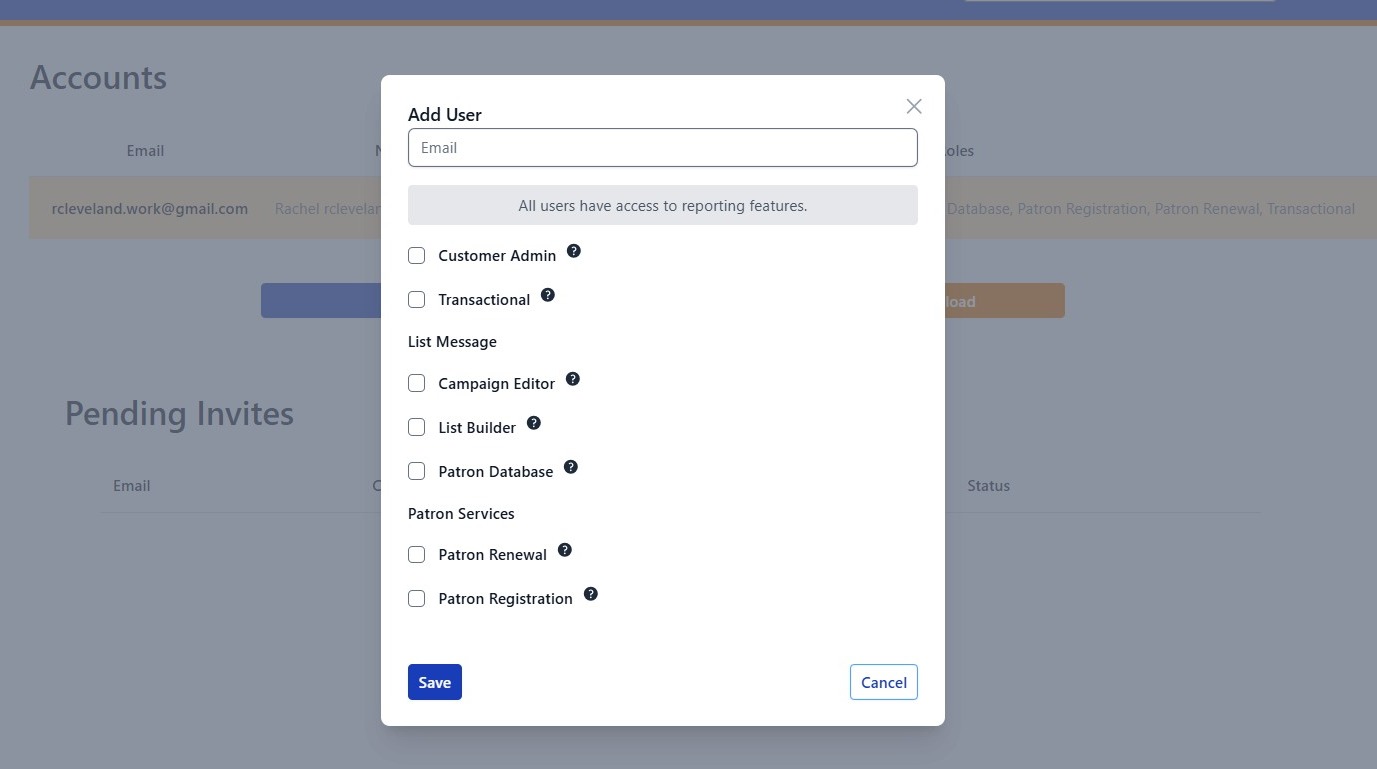
3. Enter the email of the new user and select the MessageBee services they should be able to access. Then select Save.
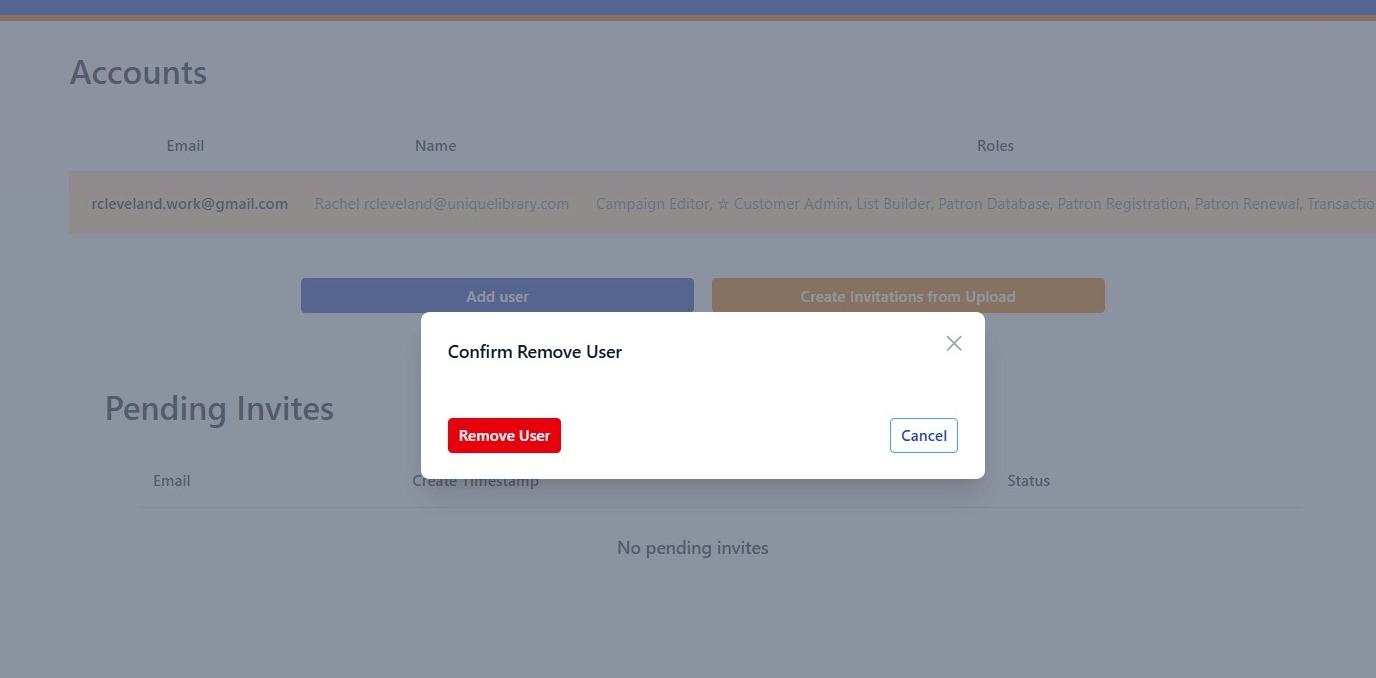
4. To remove/delete a user, select the three-dot menu next to their name and choose Remove.
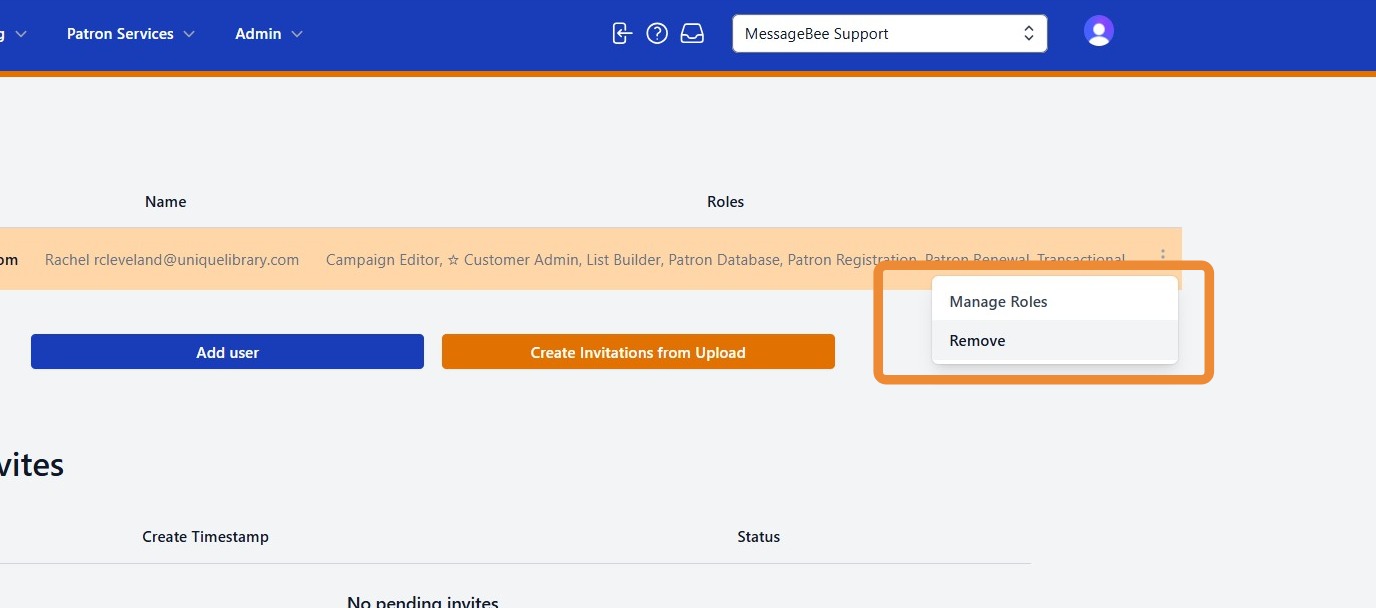
5. Select Remove User to confirm.