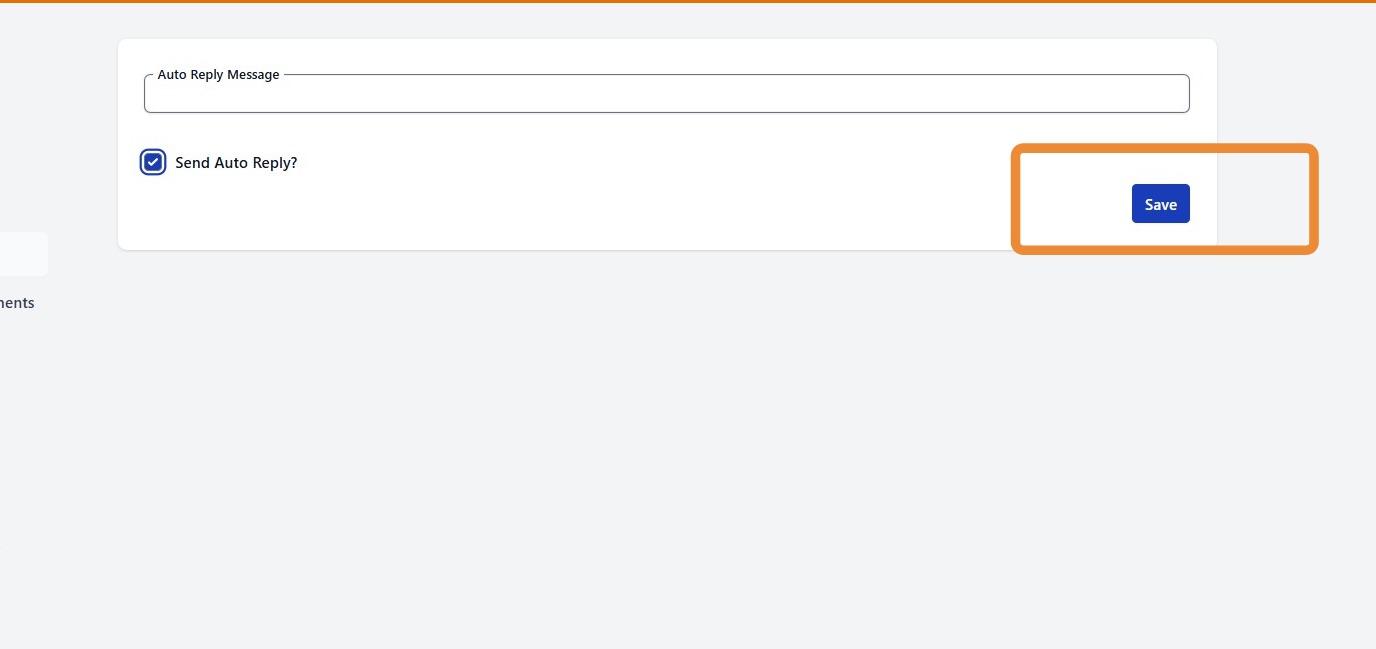
Learn how to configure your customer settings to enable auto reply.
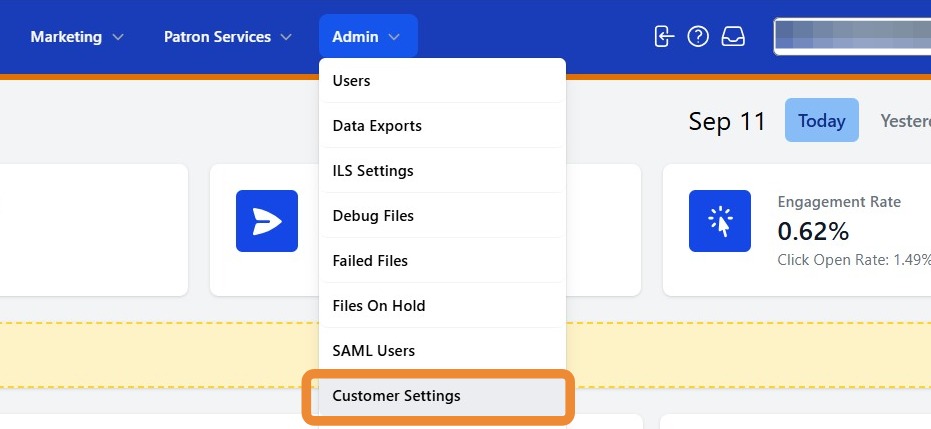
1. To configure your auto reply message for SMS, navigate to the Admin tab and select Customer Settings.
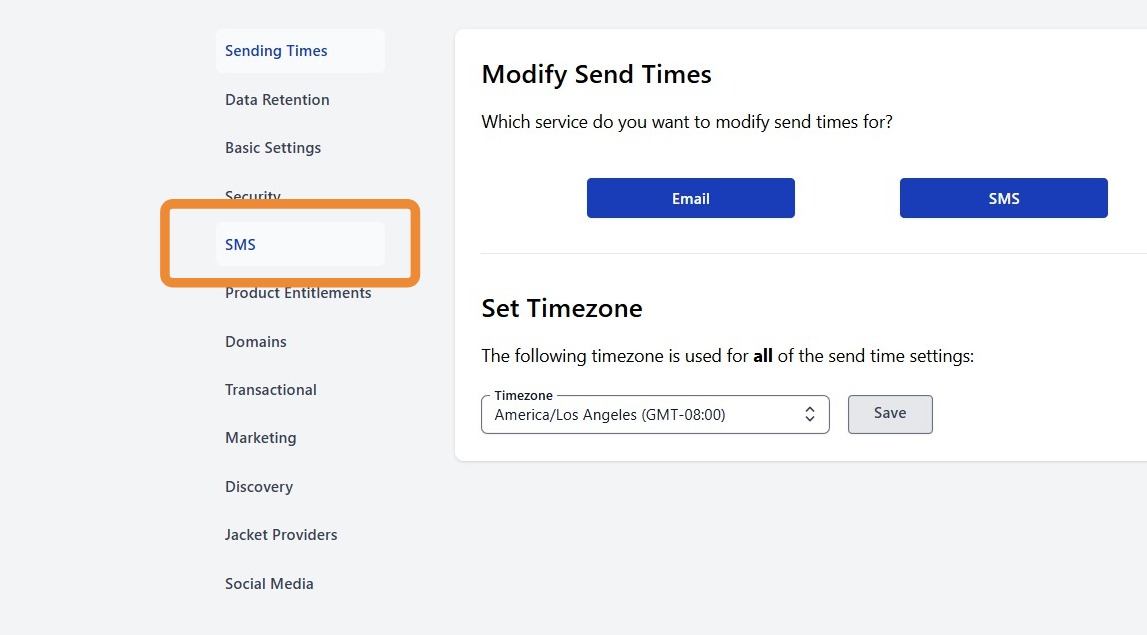
2. From the menu on the left, select SMS.
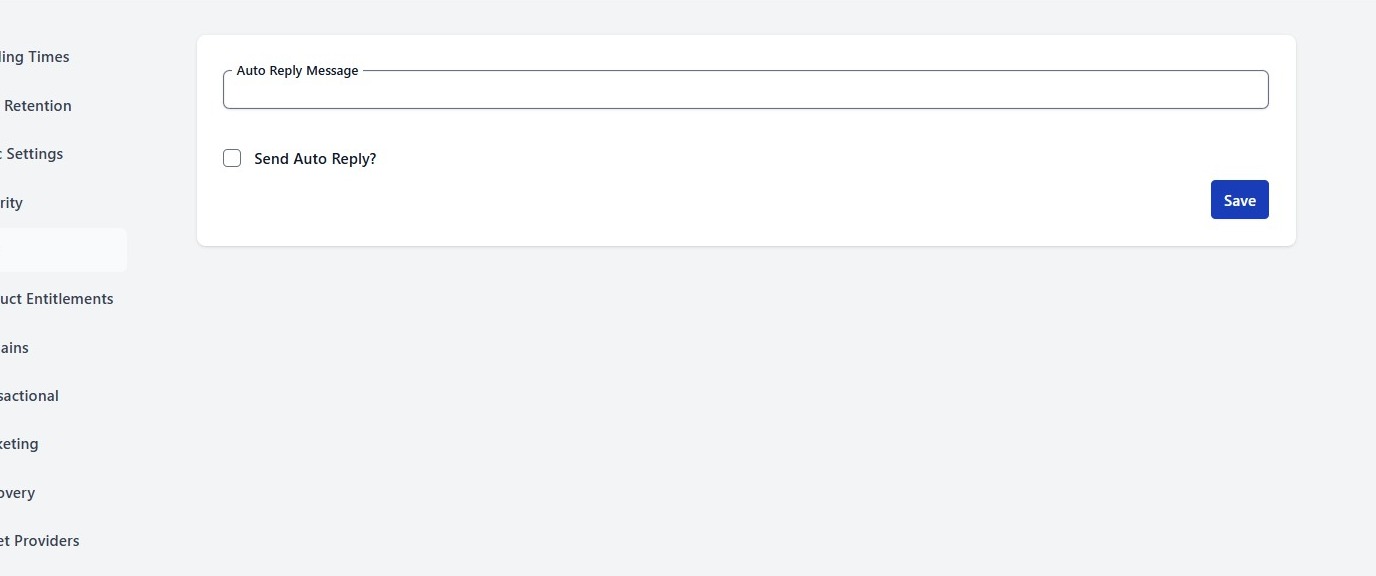
3. Enter the desired auto reply message* and then click the Send Auto Reply checkbox.
*Message should be 160 characters or less.
4. Click Save.
Your automatic SMS reply is now enabled.