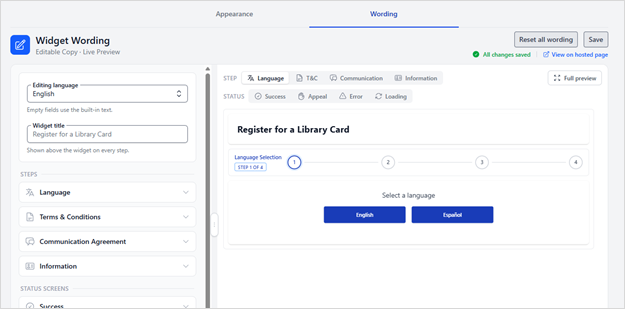
The Customize Widget feature allows you to tailor both the appearance and wording of the Patron Registration widget to match your organization’s branding and communication needs. To access these customization options, navigate to Patron Registration and select the Customize Widget button.

You can choose from two customization areas: Widget Appearance or Widget Wording.

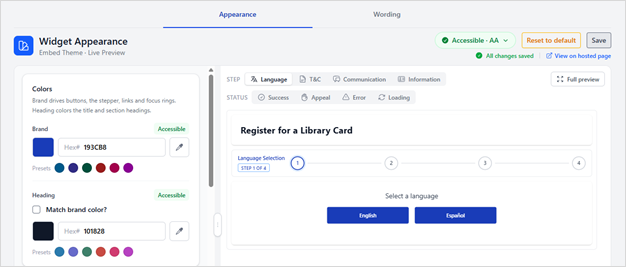
Widget Appearance
Select Appearance to modify the visual design of the widget, including:
- Colors
- Typography
- Font size
- Spacing
- Corner style
- Step animations
- Container settings
A live preview displays your changes as you make them, allowing you to see updates immediately. The Appearance editor also includes WCAG accessibility compliance indicators to help ensure your design meets accessibility guidelines.
Widget Wording
Select Wording to customize the text displayed throughout the registration experience, including:
- Registration steps
- Status screens
Text can be edited in any language currently enabled for the Registration product. Changes are reflected instantly in the preview, making it easy to review and refine your content before publishing.