MessageBee can send email notifications when Patron Registration appeals are submitted and awaiting review.
To enable these notifications:
- Log in to the MessageBee Portal.
- Click the Profile (person) icon in the upper-right corner of hte screen.
- Select Reminders from the menu.
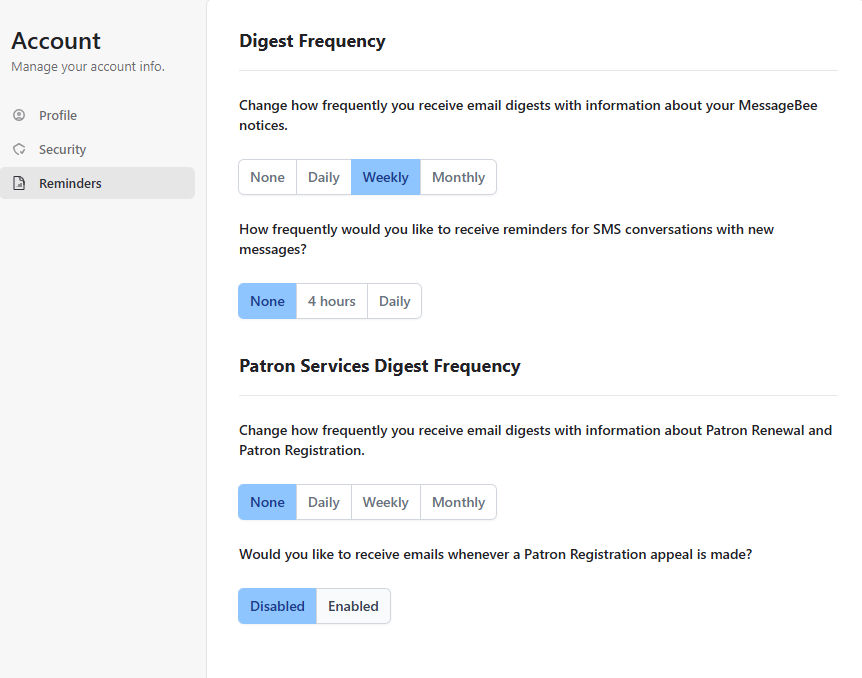
- You will see options for Digest Frequency and Patron Services Digest Frequency. Locate the Patron Services Digest Frequency section.
- Under the question "Would you like to receive emails whenever a Patron Registration appeal is made?", change the setting from Disabled to Enabled.
Once enabled, you will begin receiving email notifications when new Patron Registration appeals are submitted and require attention.