
This guide provides instructions for accessing the two separate portals used for helpdesk management and MessageBee services. There are two distinct MessageBee-related portals, each with its own URL and login credentials.
HELPDESK PORTAL
Helpdesk Portal
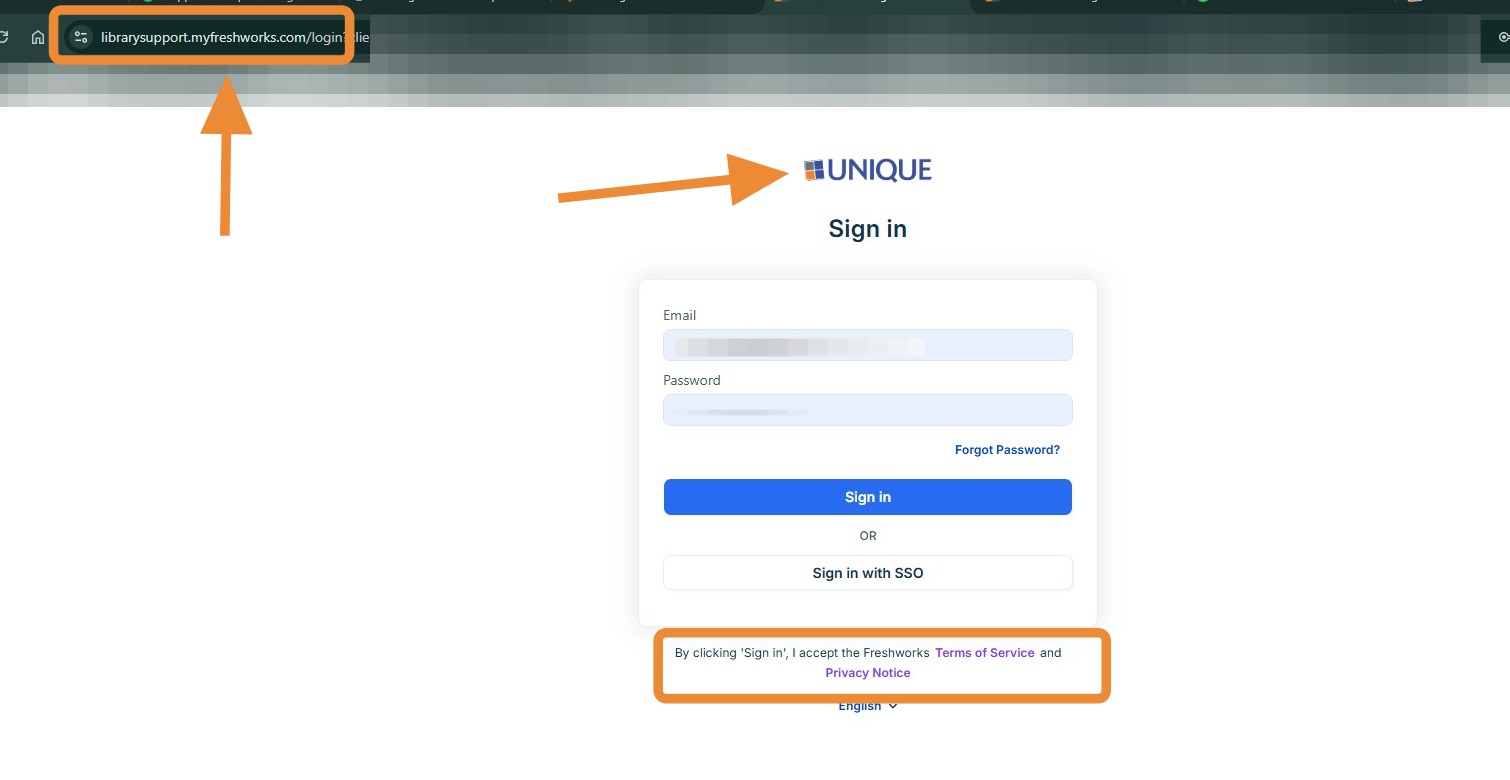
- The Help Portal is used for support and ticket management.
- The URL includes “librarysupport”, and the login page displays “Unique” above the sign-in fields.
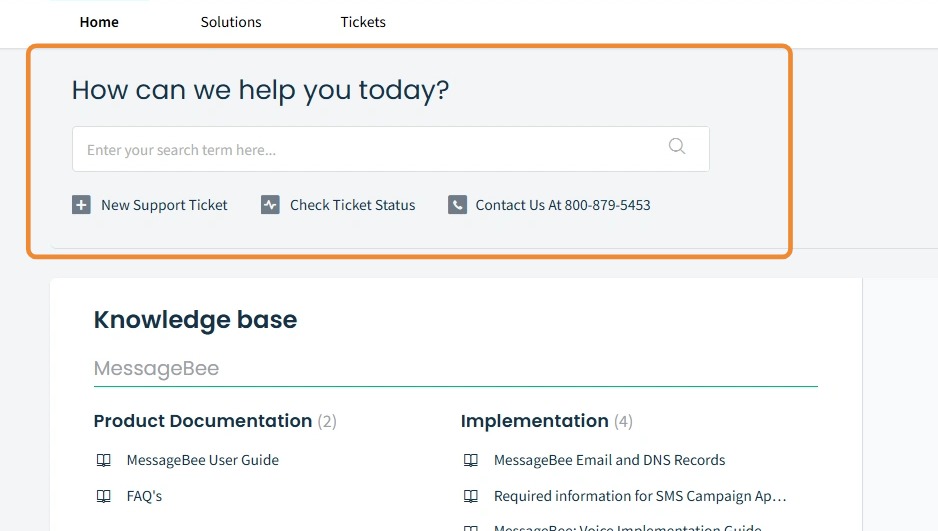
When logged into our help portal you will see the header: "How can we help you today?".
Within this portal, you can:
- Submit new support requests
- View and manage existing tickets
- Access support resources and contact options
MESSAGEBEE PORTAL
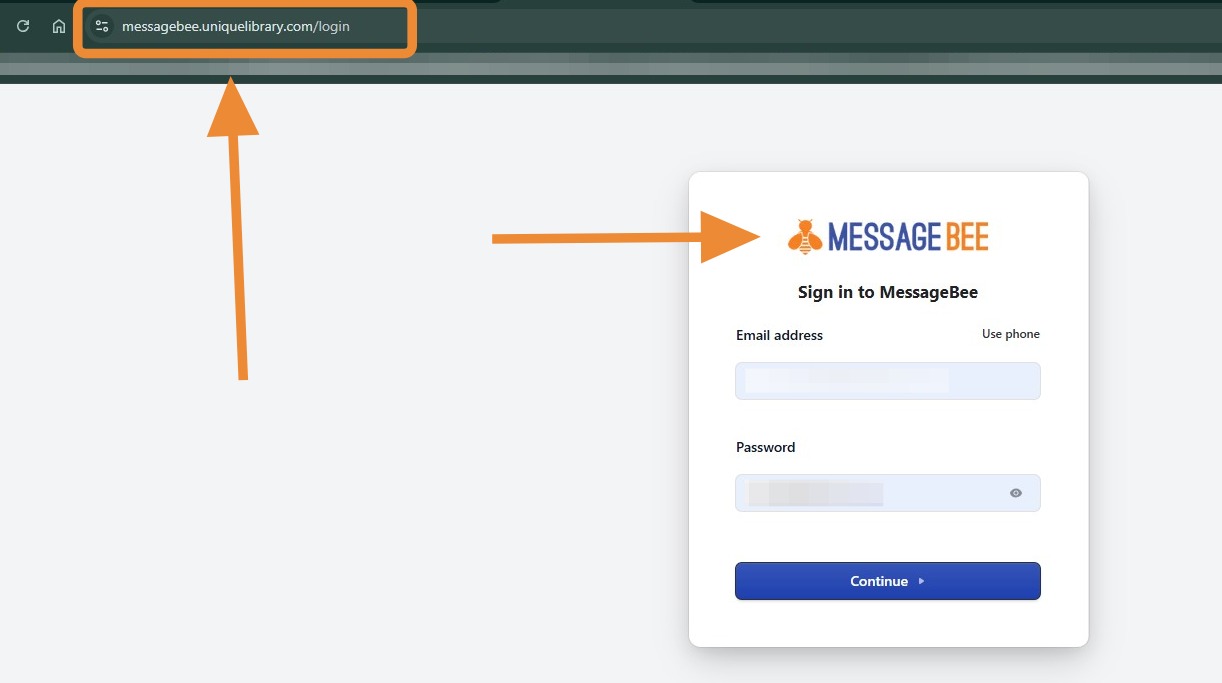
- The MessageBee Portal is used for platform access and configuration.
- The URL is: messagebee.uniquelibrary.com
- The login page displays “MessageBee” at the top.
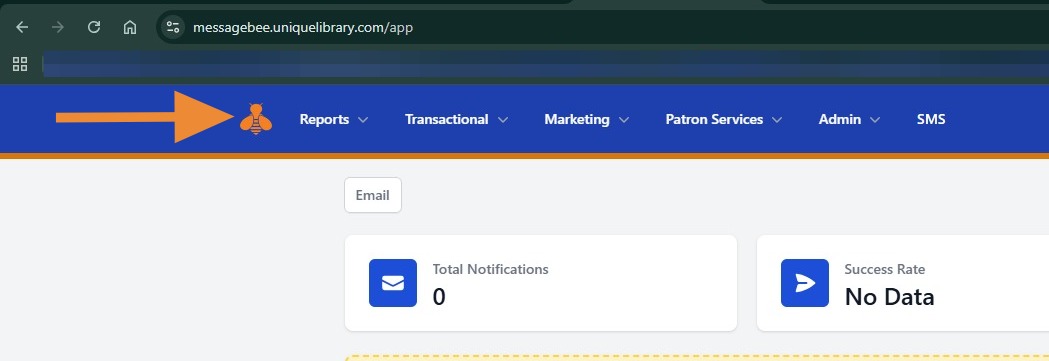
After logging in, you will be directed to the dashboard, where you can access:
- Notifications and messaging tools
- Marketing features
- Reporting and analytics
- Additional configuration tabs
Key Reminder
These portals are separate systems and do not share login credentials. You will need to log in to each one independently depending on your task:
- Use the Help Portal for support and ticket-related needs
- Use the MessageBee Portal for platform management and operations