
Once uRenew: Automated Borrower Renewal is live, you will have full visibility into which patron accounts have been renewed and which have not.
To view this information, navigate to: Patron Services → Patron Renewal.
You will be directed to the Patron Renewal dashboard, which includes the following sections:
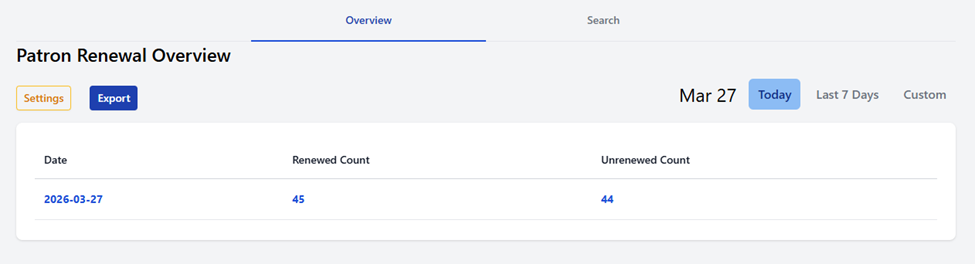
- Overview Tab: Displays a summary of total accounts renewed and not renewed, organized by date.
- Search Tab: Allows you to locate a specific patron using a barcode, Patron ID, or email address.
- Settings: Provides visibility into the geographic boundary(ies) configured for renewal eligibility.
- Export: Enables you to export patron data for further analysis or reporting.
- Date Selector: Filter results by predefined ranges (e.g., Today, Last 7 Days) or select a custom date range.
For more detailed information, click on any Date, Renewed Count, or Unrenewed Count. This will open a detailed list of patron records, which can also be exported as needed.