
This guide outlines the steps required for patrons who wish to resume receiving SMS notifications after previously opting out.
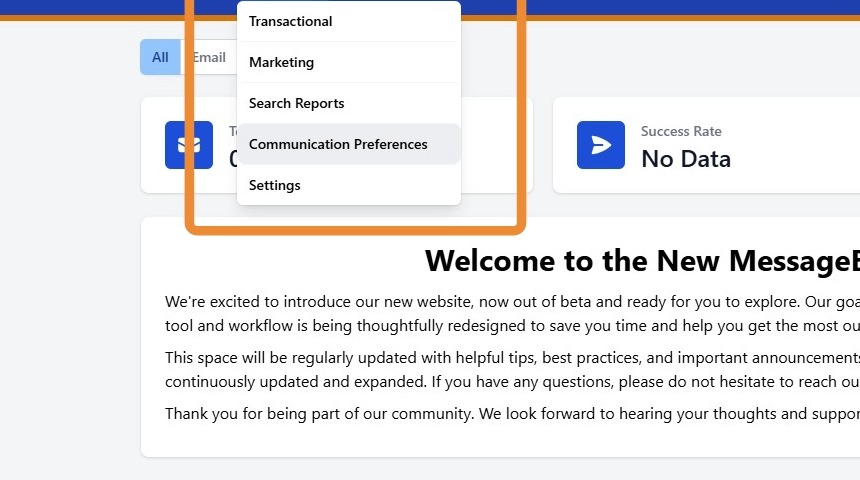
1. When a patron opts out of SMS notifications, this preference will be reflected within the MessageBee Communication Preferences report. Navigate to Reports → Communication Preferences in the MessageBee portal.
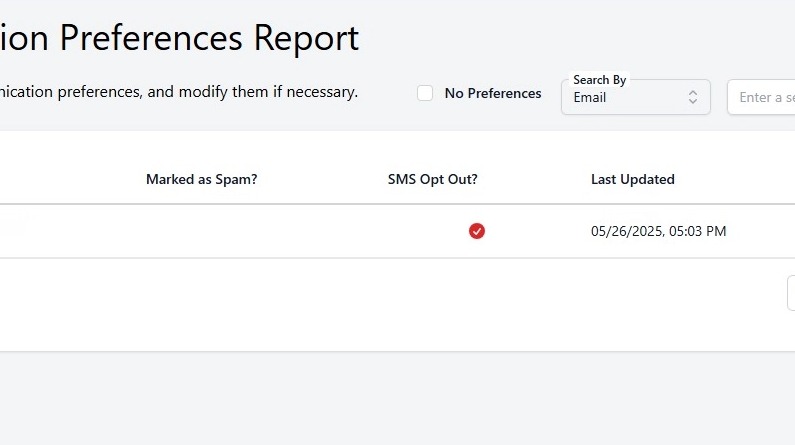
2. If the patron has opted out of SMS messages, a red checkmark will appear under the SMS Opt Out? column.
3. Patrons are opted out of SMS notifications when they reply STOP to the sending number. In accordance with text messaging compliance requirements, the opt-out is applied immediately and the patron will no longer receive SMS notifications from that number.
Steps for a Patron to Re-Enable SMS Notifications
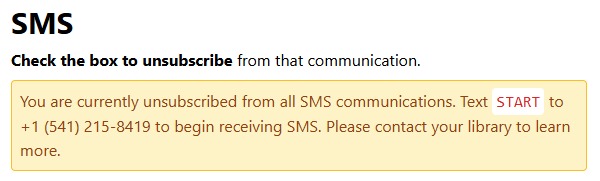
- To resume receiving SMS notifications, the patron must send the word START via text message to the library’s MessageBee "From" Number (the number used to send SMS notifications).
- Once START is received, SMS messaging will automatically be re-enabled for that patron.
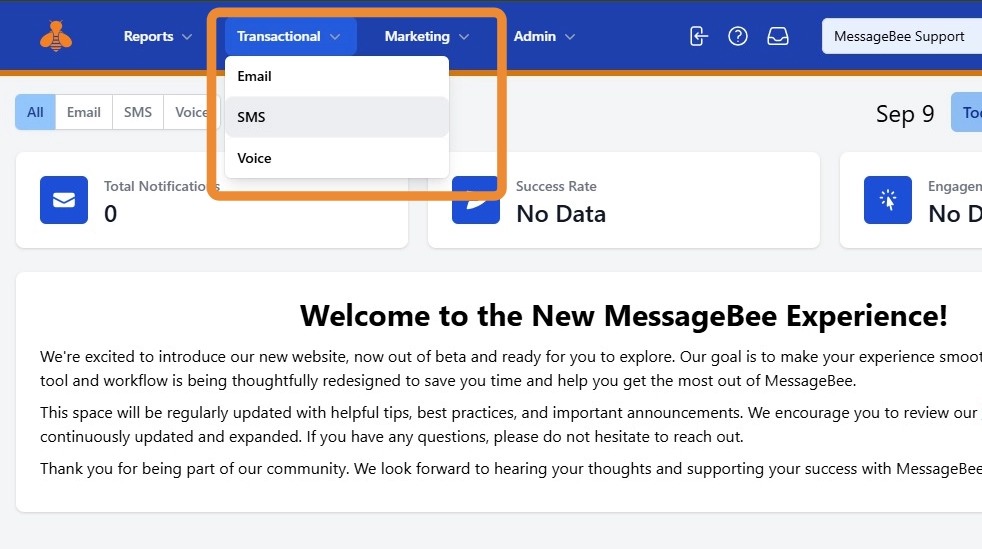
4. To find your From Number, go to the transactional template for SMS.
5. If a patron would like to resume receiving SMS messages, they will need to text START to the “from” number. This will re-enable messages.
6. The patron will now get SMS notifications again!