
The Organization Reports feature provides a high-level view of notification activity across all branches within your organization. These reports are designed to help you quickly assess performance, identify trends, and make informed decisions using comprehensive, organization-wide data. By leveraging the Reports tab, users can view key metrics such as total notification volume, success rates, and failure reasons. The ability to filter results by channel, notification type, and branch offers dee
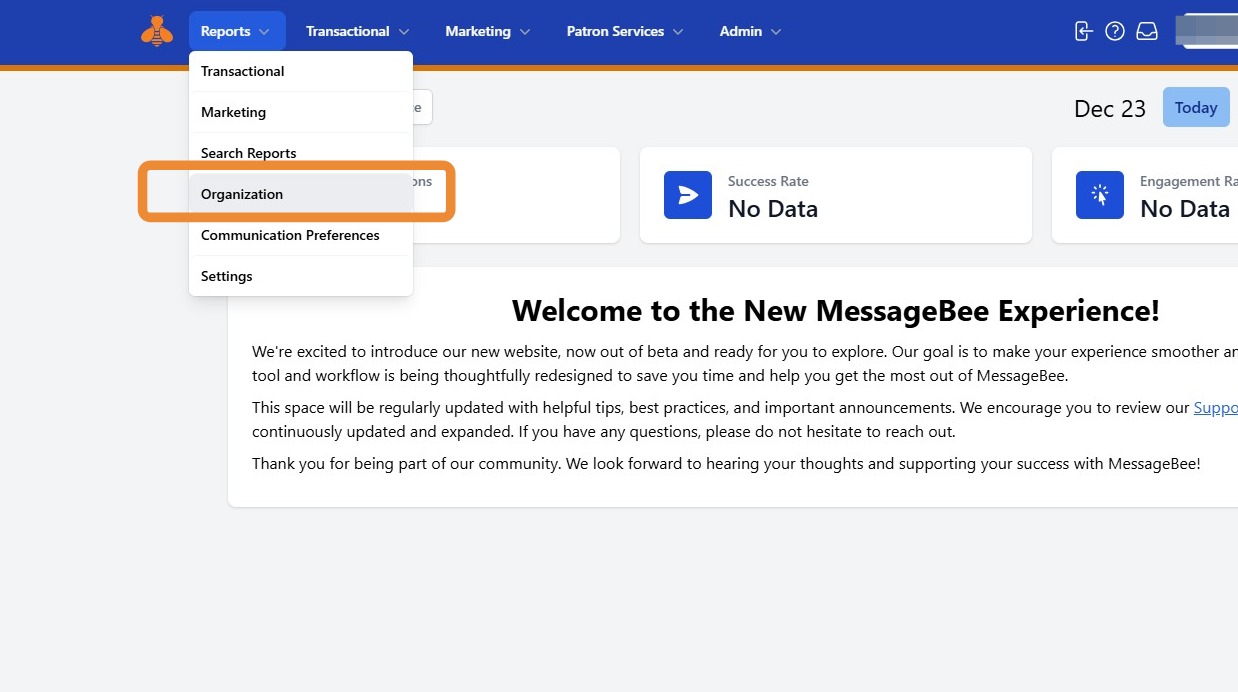
1. To view consolidated data for all branch locations, click the Reports tab and select Organization.
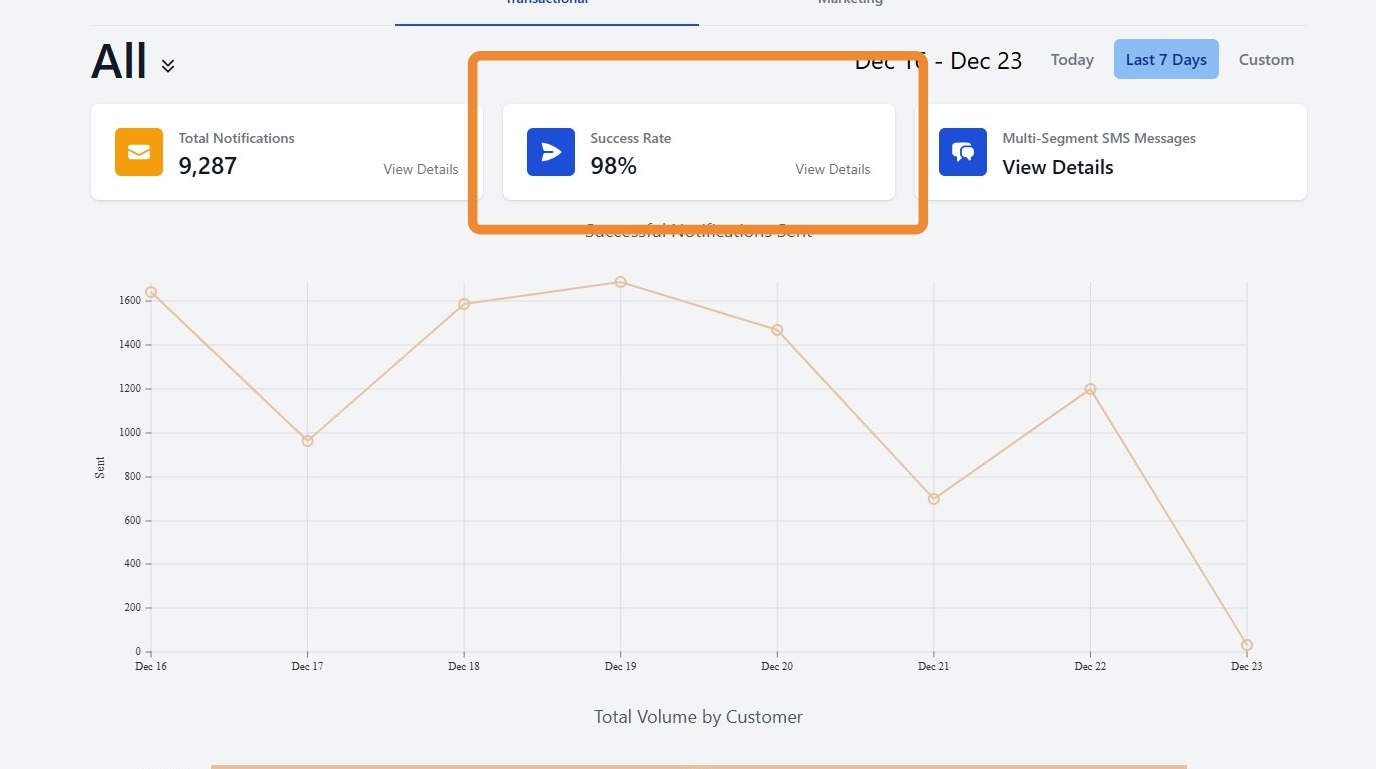
2. At the top of the Organization Reports page, you’ll find summary tiles that provide an at-a-glance snapshot of key metrics, including:
Total Notifications
Success Rate
Multi-Segment SMS Messages
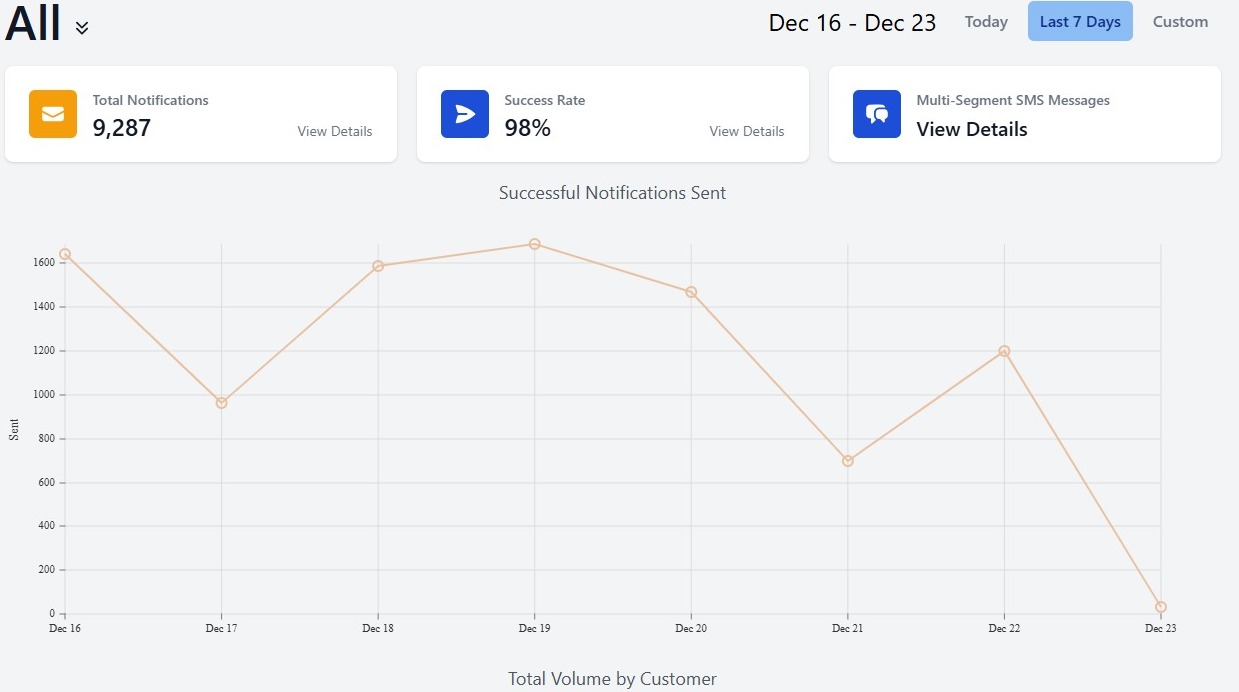
3. Below these tiles, you will find a graph showing successfully sent notifications across all branches.
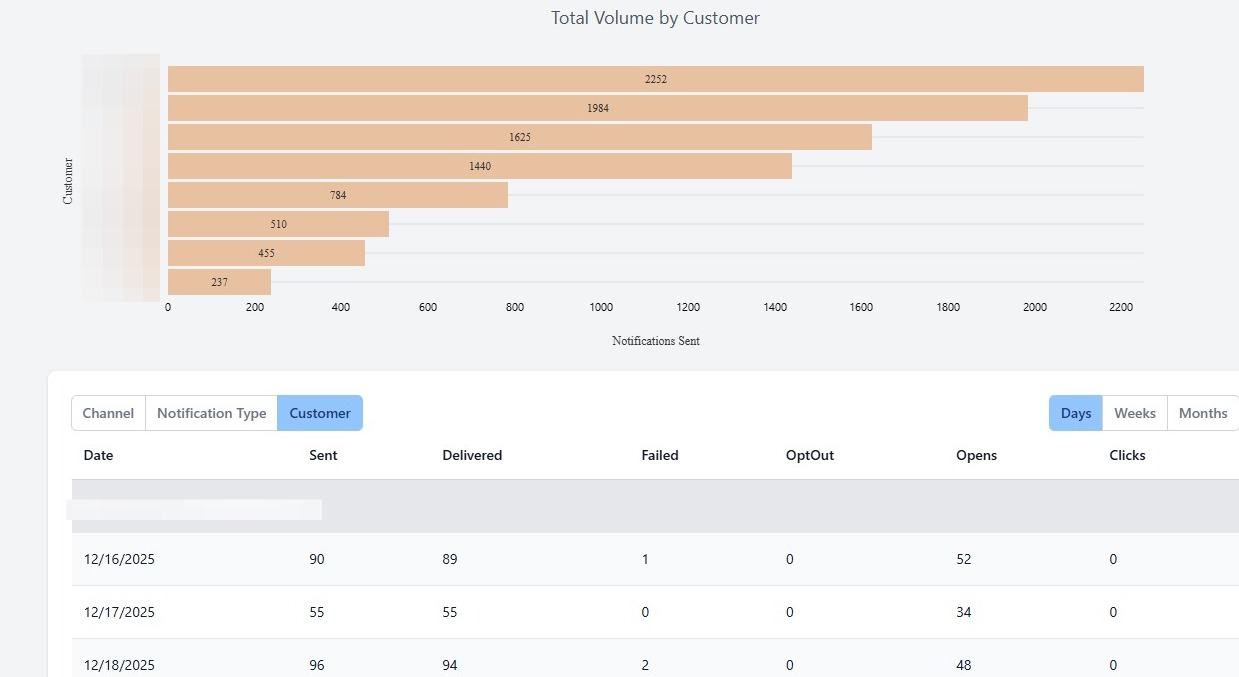
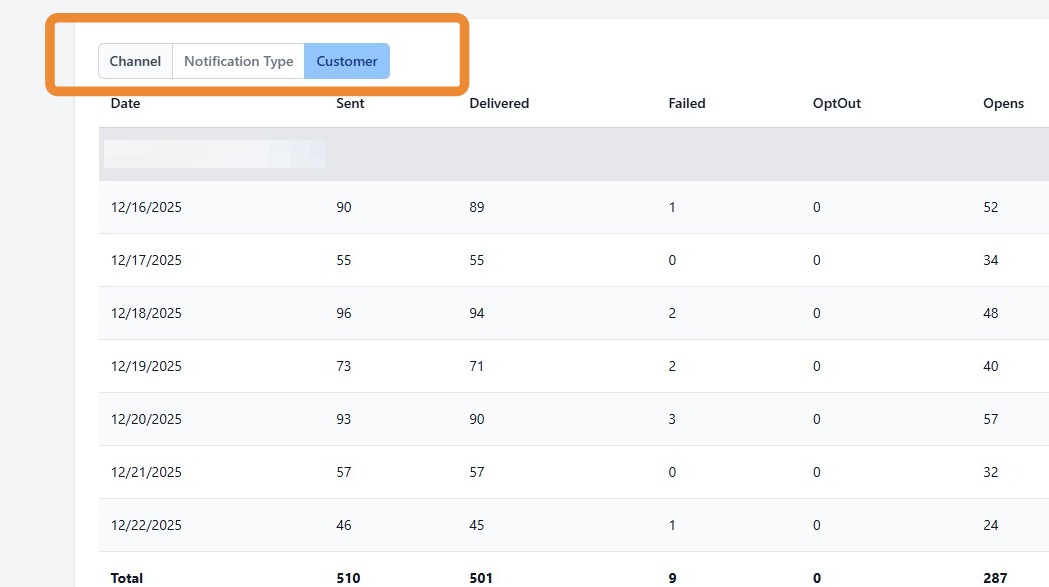
4. You can further filter the Notifications Sent graph by:
Channel
Notification Type
Customer (Branch)
These filters allow you to drill down into specific delivery methods, message types, or branch-level activity for more targeted analysis.
5. Selecting the Success Rate tab provides deeper insight into delivery outicomes across the organization.
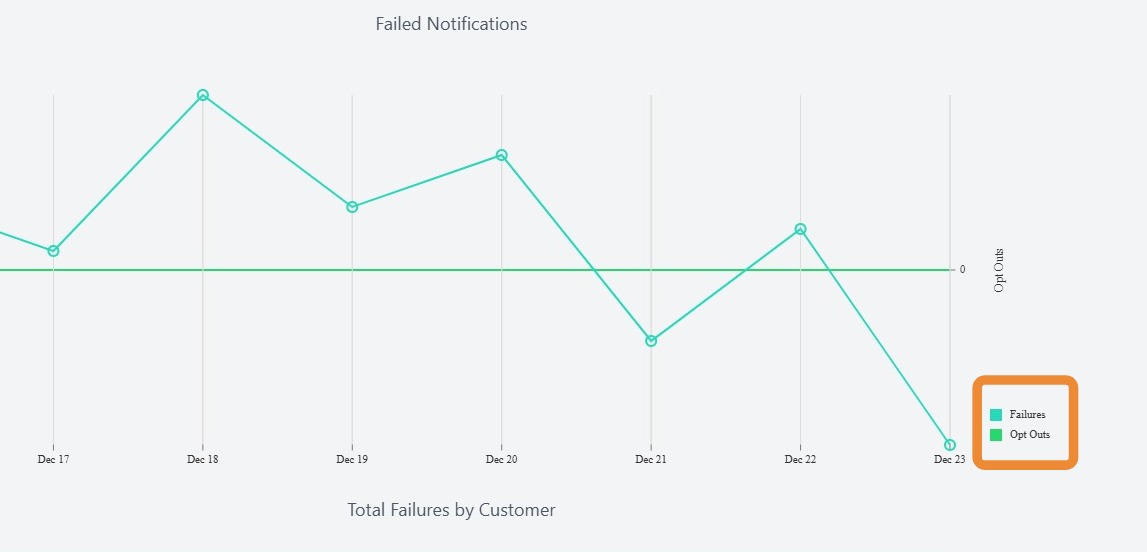
6. This section includes:
A graph of overall failures and opt-outs
A comparative graph ranking total failures by branch (from highest to lowest)
7. Below the Total Failures by Customer graph, you will see a graph showing failure rates by each branch/location.
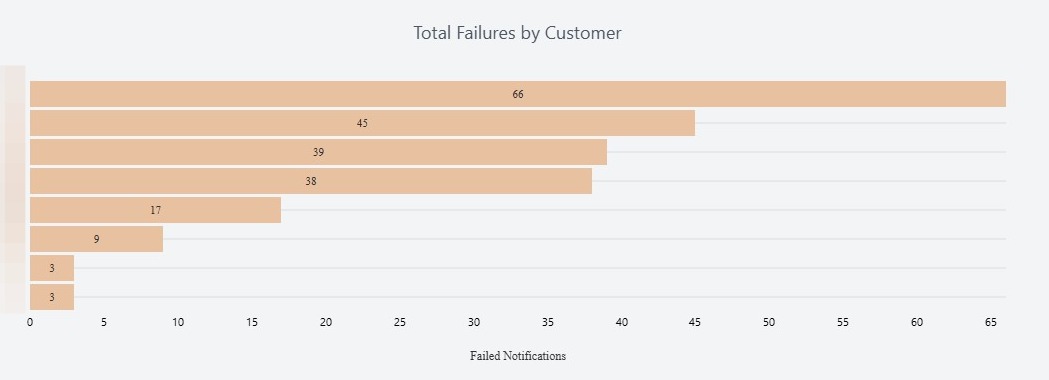
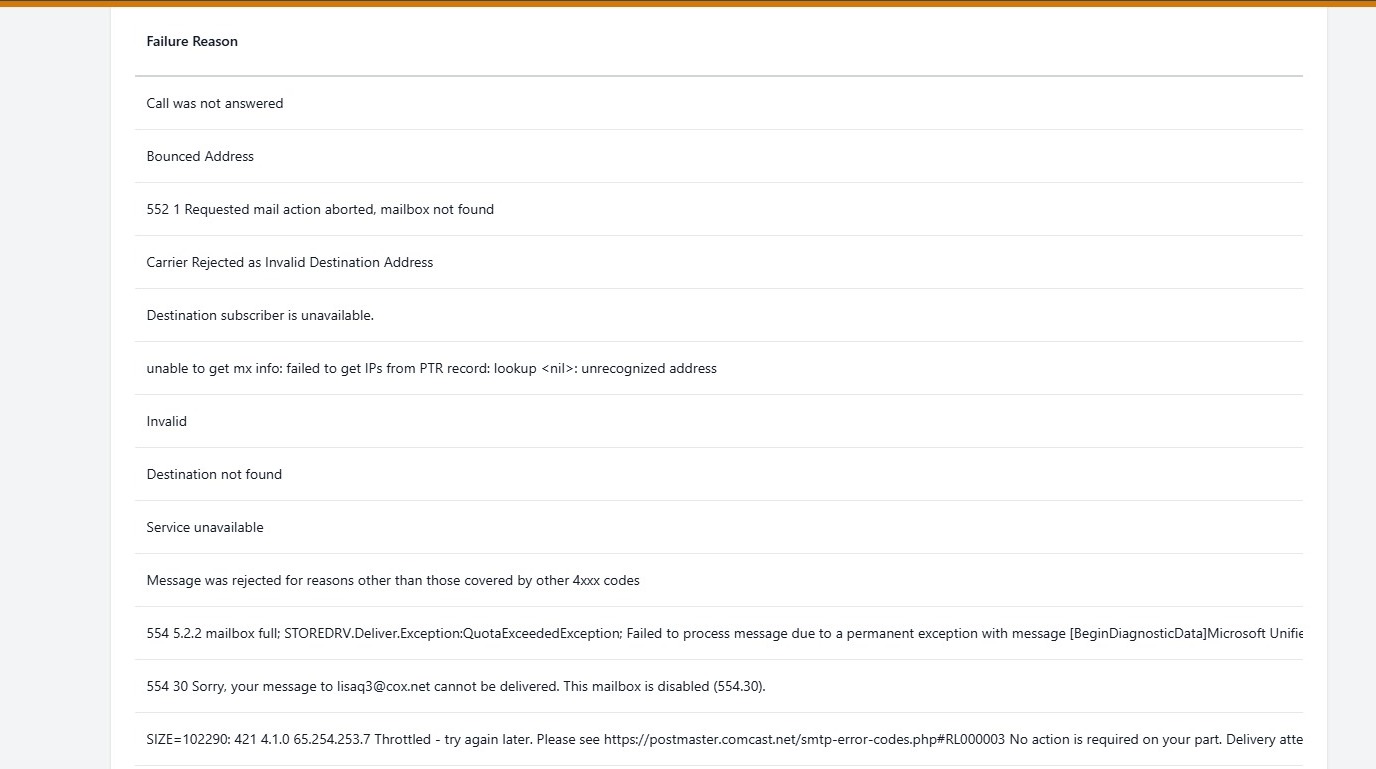
8. A detailed list explaining the failure reason for each failed notification can be found below the Total Failures graph.
Tip! Due to the large size of these reports, organization-level reports cannot be downloaded for offline viewing.